
NetworkView 6.0.0
With NetworkView you can get a quick overview of your network, whether it is a small office or a corporate network. Providing a simple interface for the discovery and monitoring of multi-vendor IP networks. This Network visualization tool identify which devices are online and how they are connected.
Network discovery and monitoring
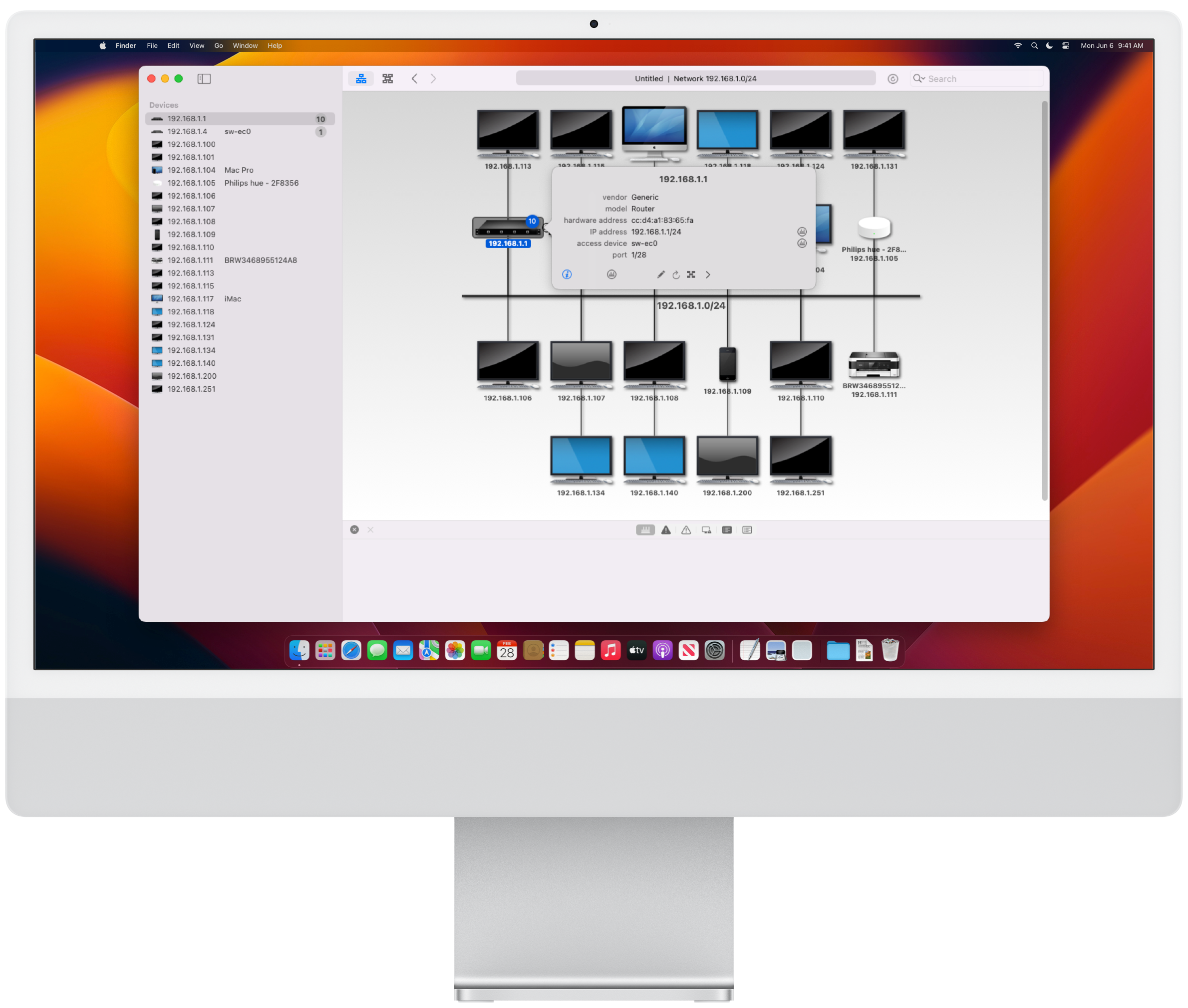

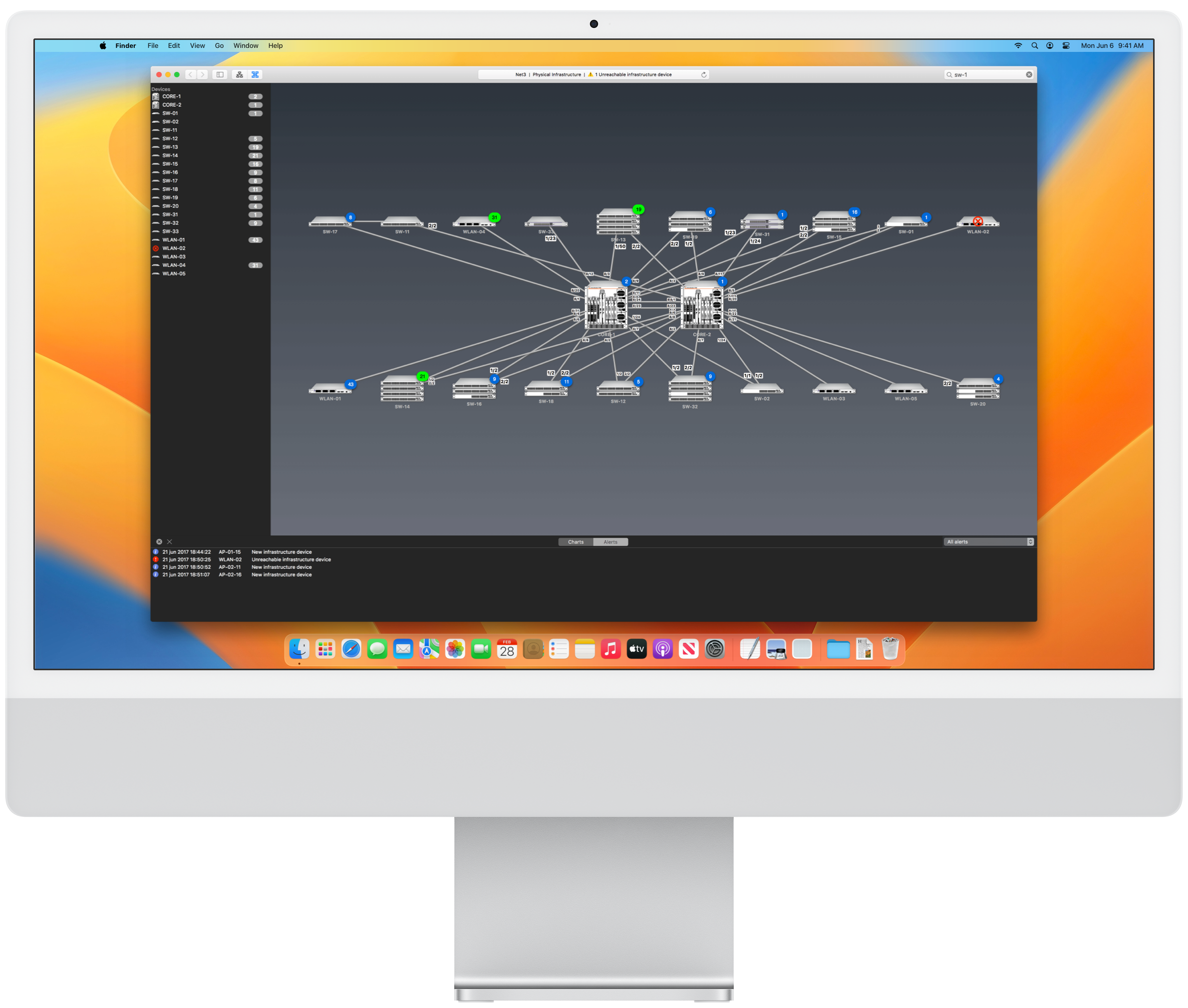
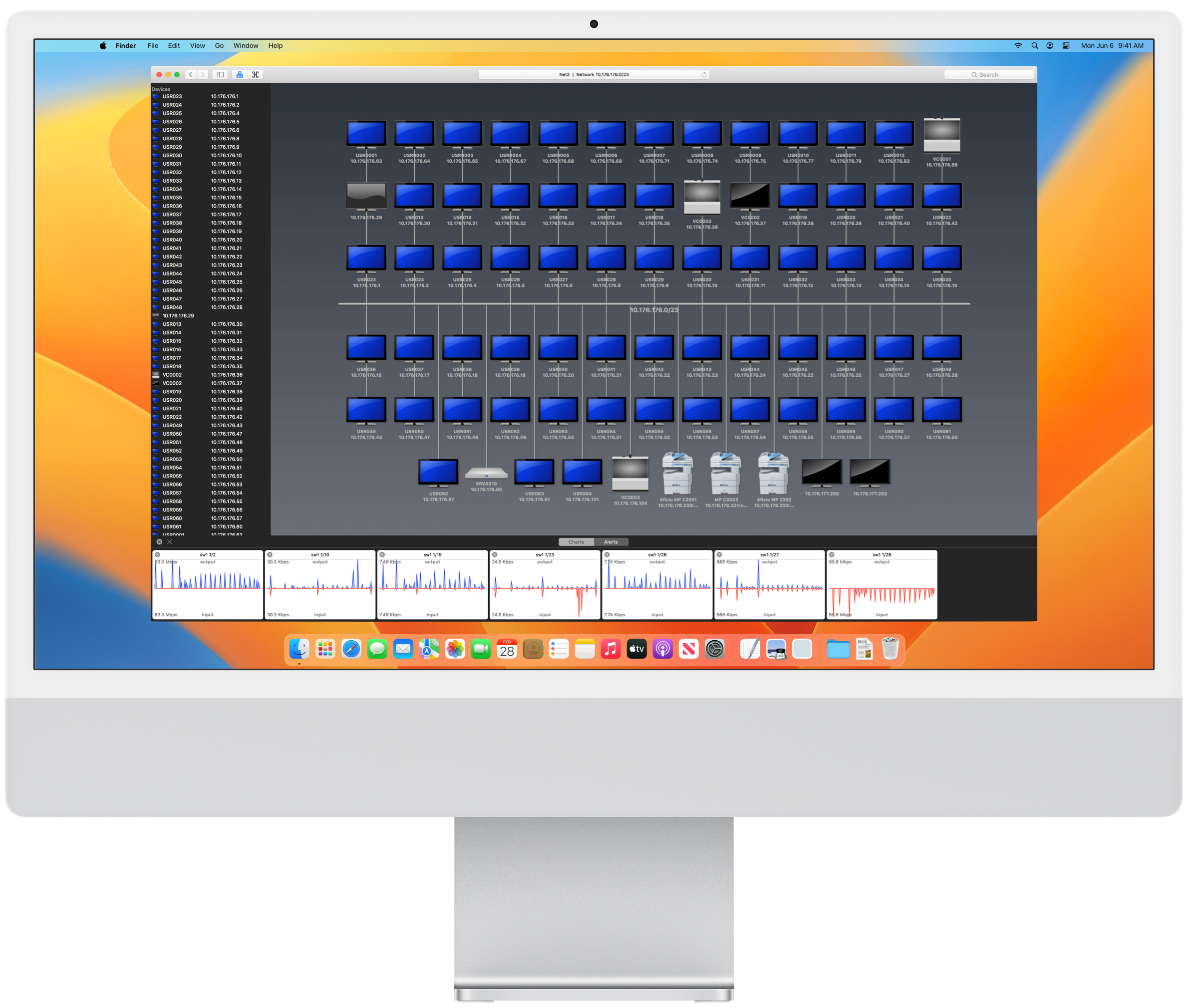
NetworkView uses multiple methods such as ICMP, MDNS, SSDP, DNS, NetBIOS, SNMP MIB-2, Bridge MIB, LLDP, CPD and propietary MIB’s to discover devices and generates a graphical representation of your network. NetworkView generates views of both logical and physical network structure. Virtual structure representation is also displayed for wireless systems (Cisco, Aruba/Alcatel-Lucent and Fortinet).
NetworkView identifies hundreds of network infrastructure devices and shows graphical views with advanced capabilities including representation of switch stacks and device clusters, user devices to switches physical port connections and user wireless access points associations (Cisco, Aruba/Alcatel-Lucent, Fortinet and Aerohive)
Logical Infrastructure
Logical views show the Layer 3 network structure and represent the IP networks and the logical interconnections of the IP interfaces of the devices. Different IP networks are interconnected by IP router devices. The top level logical view is the Logical infrastructure map showing the IP networks, routers and their interconnections.
IP network symbols can be zoomed to show the devices logically connected to the IP network.

Physical Infrastructure
Physical views show the Layer 2 network structure and represent the physical interconnections between network infrastructure devices (switches). The Physical infrastructure map is the top level physical view showing the network backbone showing the Layer 2 infrastructure devices and their physical links. Layer 2 devices can be zoomed to show its physical endpoint devices.
LACP link aggregates (LAG) and Spanning Tree (STP) blocked links are also visualized in the physical infrastructuremaps.

Endpoint Maps
Large numbers of devices of the same type are automatically grouped into group symbols. You can override automatic grouping in a specific Logical or Physical endpoint view.
Logical
Logical endpoint maps show the devices logically connected to the IP network.

Physical
Physical endpoint maps show physical connections to the ports of a Layer 2 device (switch).
Learn more about NetworkView
Visualize your network with NetworkView. Our software provides a simple interface for the discovery and monitoring of multi-vendor IP networks. Visualize your network clearly and efficiently, allows to detect problems in real time and improve the efficiency. Identify which devices are online and how they are connected to each other.
Item personalization
Although the main objective of NetworkView is to automatically monitor network resources, you can modify the properties of the existing device symbols, add and remove symbols and connections.
WLAN's
Physical endpoint maps of Wireless Access Points are graphically differentiated showing the Service Set Identifier (SSID). Apple Airport, Cisco, Aruba/Alcatel-Lucent, Fortinet and Aerohive are currently supported.
Status Alerts
In addition to status alerts, several configuration alerts can be optionally generated: OS version change, device IP address change, link port change, endpoint access device, port or VLAN change.
Virtual Connections
Virtual connections represent logical associations between Wireless controllers and the managed Access Points. Cisco, Aruba/Alcatel-Lucent and Fortinet controllers are currently supported.
Device information
Click a device symbol to obtain detailed information including the access device used to physically connect to the wired network (switch, port, speed and VLAN). Multiple wired connections and wireless connections are also handled.
Interface & ports information
Symbol popovers also displays device IP interfaces and ports tables for Layer 2 devices including MAC addresses, port speeds, link aggregate groups (LAG) membership, VLAN and connected endpoint information..
If there is network connectivity to the device, current port status is also displayed. Status values includes connected, not connected, administratively disabled or Spanning Tree (STP) blocked.
Response & Traffic Charts
Symbol popovers can also quickly display charts showing real time device IP interfaces, response time and IP interfaces and switch ports traffic.
Using the symbol popover you also connect to devices supporting some remote access protocol (Apple RDP, HTTP, HTTPS, Telnet and SSH).
Network reports
You can easily generate a document containing all network information.
Static charts
Response and traffic charts opened in the device popover can be copied to the charts permanent area.
Configuration Alerts
In addition to status alerts, several configuration alerts can be optionally generated: OS version change, device IP address change, link port change, endpoint access device, port or VLAN change.
Notifications
If enabled, NetworkView can send the generated alerts to the Notification Center.
Download NetworkView
Download NetworkView through the macOS App Store
Download DEMO for a 30 days trial.
Find details and step-by-step instructions on how to use the software.